
Picking an analytics SDK for a React or Next.js app sounds straightforward until you're actually doing it. Suddenly you're weighing bundle size against feature depth, worrying about whether your event calls will fire on the server or silently fail inside a Server Component, and trying to figure out which of these tools will trigger a GDPR cookie banner and which ones won't.
This post breaks down the most relevant SDKs for React and Next.js apps in 2026 — what they're genuinely good at, where they fall short, and which one makes the most sense depending on what you're building.
Why analytics integration is harder in Next.js than it looks
Next.js has three routing paradigms in active production use right now — the Pages Router, the App Router with Server Components, and the App Router with Client Components. Most analytics SDKs were designed for single-page apps where everything runs in the browser. Dropping them into a Server Component context fails because they depend on window or the DOM.
Beyond the rendering model, there's the SPA navigation problem. Client-side transitions via router.push() don't trigger a full page load, so analytics tools that rely on the load event miss every route change after the first. You need explicit route-change handling, or an SDK that manages it internally.
Finally, there's Core Web Vitals. Synchronously loaded third-party scripts are a direct threat to your LCP and FID scores. Whatever SDK you pick needs to load asynchronously and, ideally, defer until after the main thread is free.
The main contenders
Databuddy
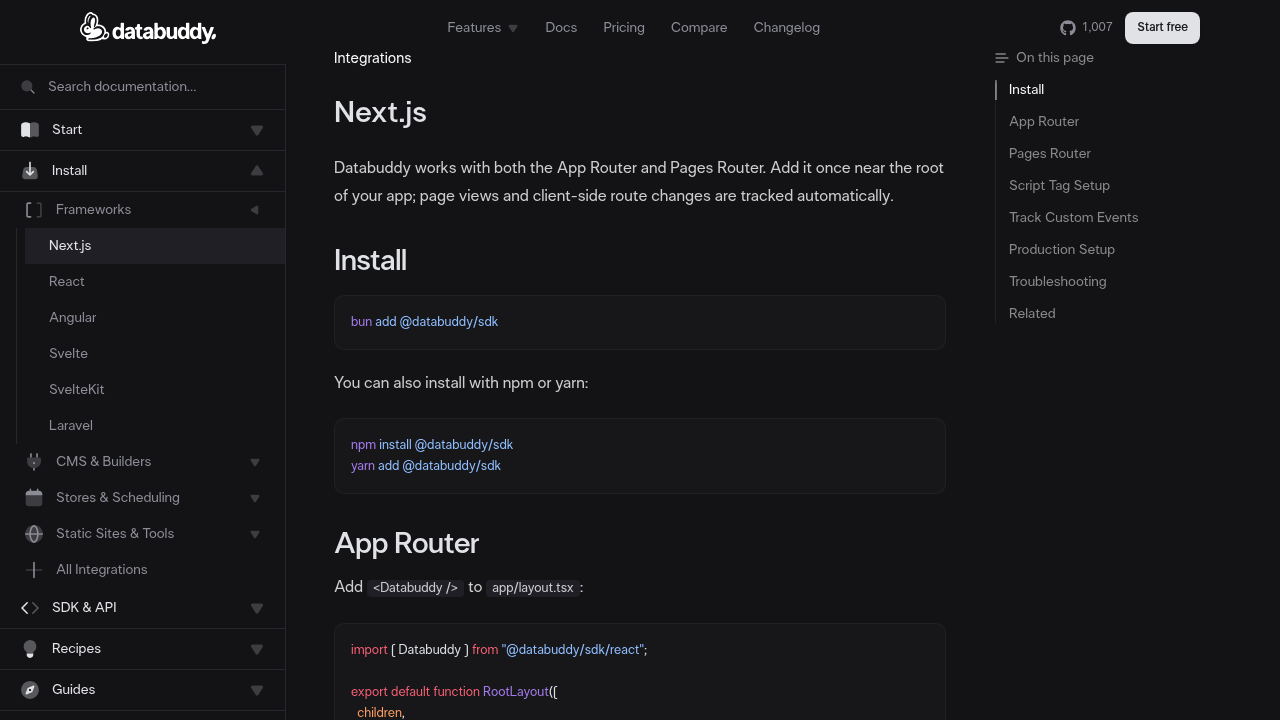
Databuddy's @databuddy/sdk has first-class support for both the App Router and Pages Router. Setup in a Next.js App Router project comes down to one component in app/layout.tsx:
import { Databuddy } from "@databuddy/sdk/react";

export default function RootLayout({ children }: { children: React.ReactNode }) {
  return (
    <html lang="en">
      <body>
        <Databuddy
          clientId={process.env.NEXT_PUBLIC_DATABUDDY_CLIENT_ID!}
          trackPerformance
          trackWebVitals
          trackErrors
        />
        {children}
      </body>
    </html>
  );
}
Route changes are tracked automatically — no router.events wiring, no usePathname effect. The component renders nothing to the DOM and initializes client-side only, so it's safe in the App Router without any "use client" directive on the layout itself.
For custom event tracking in Client Components, you call track() directly:
"use client";
import { track } from "@databuddy/sdk";

export function SignupButton() {
  return (
    <button onClick={() => track("signup_clicked", { location: "hero" })}>
      Sign Up
    </button>
  );
}
For server-side event tracking from Route Handlers or API routes, there's a separate Node SDK. That separation matters — it's more architecturally honest than SDKs that try to shim window on the server.
The SDK also supports automatic data-attribute click tracking, making it possible to instrument UI without writing event handlers in every component. The React/Next.js SDK reference covers all the available configuration props.
What makes Databuddy stand out from a compliance standpoint: it's cookie-free and GDPR/CCPA compliant by default. That means no cookie consent banner required for analytics. Given that cookie banners consistently reduce conversion rates, removing them has a measurable impact on revenue attribution. Full data ownership is included, not an enterprise add-on.
On features: the platform includes client-side feature flags and server-side feature flags natively, which is useful if you want to gate feature rollouts and track their impact in the same tool. Error tracking and Core Web Vitals monitoring ship as configuration flags on the same component — no separate SDK installs.
PostHog
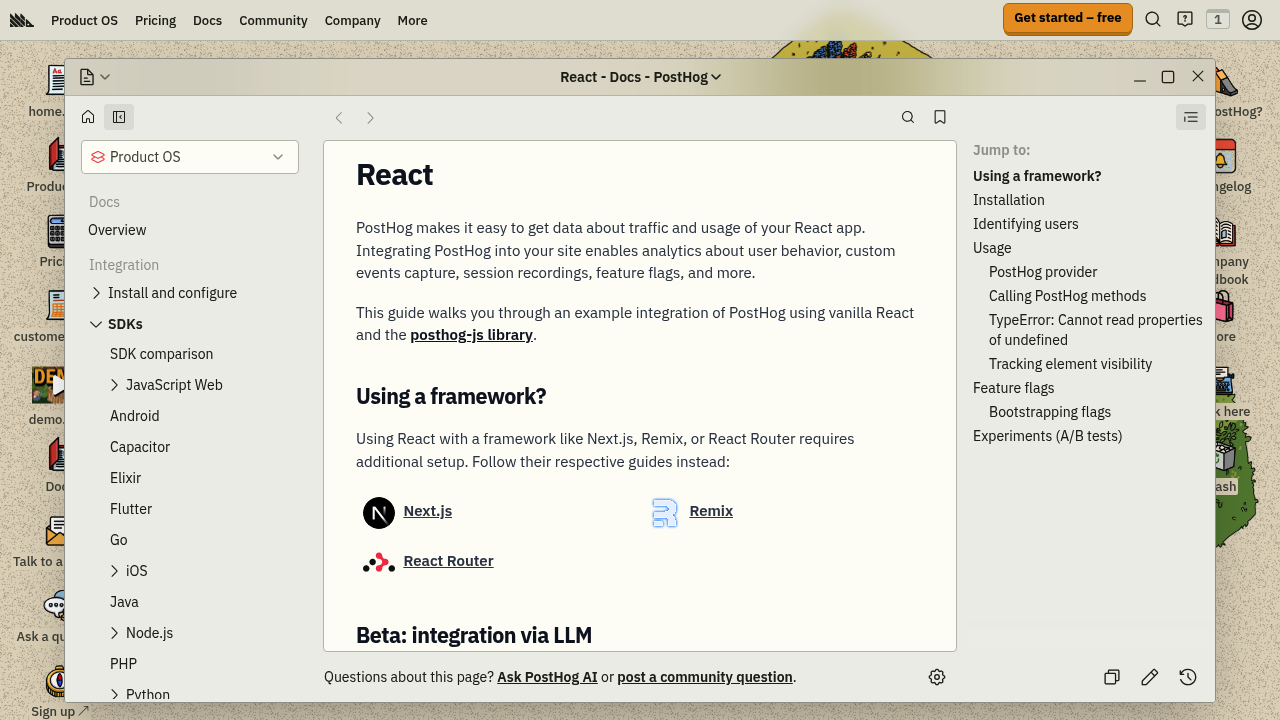
PostHog (posthog-js) is genuinely good if you want session replay, heatmaps, feature flags, and A/B testing in a single platform. For engineering-driven teams that want to replace five tools with one, it's a reasonable bet.
The integration for Next.js App Router requires a provider pattern — a PostHogProvider wrapped in a "use client" component placed in the layout. It works, but it's more boilerplate than most alternatives.
The main operational concern is bundle size. According to a GitHub issue opened in April 2025, the PostHog bundle reaches 266 KB uncompressed in webpack bundle analysis. PostHog offers a "slim" version that cuts this significantly, but it excludes session replay and some autocapture features. The full bundle's autocapture can also add 20–25% CPU overhead during recording sessions per independent benchmarking from Rollbar's September 2025 report.
PostHog uses cookies by default, which means you'll need a consent banner for EU users. Self-hosting is available if you want to address data residency concerns.
For teams that specifically need session replay and are comfortable managing that privacy overhead, PostHog is a strong option. Teams that mainly need page views, event tracking, and conversion funnels will likely find the weight unjustified. You can also check a direct comparison between Databuddy and PostHog if you want a feature-level breakdown.
Amplitude
Amplitude's browser SDK (@amplitude/analytics-browser) is designed for high-throughput behavioral analytics. Event tracking operations are non-blocking and complete in under 1ms per Amplitude's own documentation, with automatic batching to minimize network overhead.
It's a strong fit for enterprise teams that need cohort analysis, retention modeling, and sophisticated funnel segmentation. The SDK is modular — you can install individual packages to reduce bundle size rather than loading the unified SDK.
The tradeoffs: pricing escalates quickly at scale, the learning curve for advanced reporting is steep, and the setup requires more configuration than newer lightweight alternatives. Like PostHog, it uses cookies and requires a consent solution for GDPR jurisdictions. See the Databuddy vs Amplitude comparison for a detailed breakdown of feature and pricing differences.
Mixpanel
Mixpanel is fast to set up and its reporting UI is probably the most approachable of the three big product analytics tools. Event batching defaults to 60-second intervals (or on page exit), which keeps bandwidth and main-thread impact low.
The React integration is straightforward, and Mixpanel added autocapture to its JavaScript SDK in late 2025. The issue is that Mixpanel's pricing model gets expensive once you scale past the free tier, and it doesn't include session replay natively. If you need both behavioral analytics and session recordings, you're back to running two tools. A Databuddy vs Mixpanel comparison lays out where the pricing and feature gaps become meaningful.
Google Analytics 4
GA4 via @next/third-parties/google works adequately for traffic and acquisition reporting. For pure Next.js integration, the official documentation recommends the GoogleAnalytics component from @next/third-parties to ensure the gtag.js script loads asynchronously without blocking render.
The problems are well-documented at this point. The gtag.js script is ~74 KB compressed according to Swetrix's March 2026 analysis. GA4 uses first-party _ga and _ga_<container-id> cookies to track users, which requires a GDPR-compliant consent banner for EU visitors. Data gets sent to US servers by default, which has triggered enforcement actions from multiple European data protection authorities following Schrems II. Getting GA4 fully GDPR-compliant requires Consent Mode configuration, which introduces data gaps that GA4 then tries to model around.
For teams that need free marketing attribution at high scale and primarily serve non-EU audiences, GA4 remains viable. For teams building apps with a European user base or those trying to avoid the cookie consent flow entirely, the overhead of keeping GA4 compliant generally outweighs its convenience. Check the detailed Databuddy vs Google Analytics comparison if you're evaluating a switch.
How these SDKs compare on the dimensions that matter
| Databuddy | PostHog | Amplitude | GA4 | |
|---|---|---|---|---|
| App Router support | Native | Provider wrapper | Manual setup | @next/third-parties |
| Auto route tracking | Yes | Yes (with provider) | Manual | Manual |
| Cookie-free | Yes | No (default) | No | No |
| GDPR out of the box | Yes | No | No | No |
| Bundle size | ~3 KB | 30–266 KB | Modular | ~74 KB |
| Feature flags | Built-in | Built-in | No | No |
| Error tracking | Built-in | Separate product | No | No |
| Core Web Vitals | Built-in | No | No | Partial |
What to look for in a React/Next.js analytics SDK
SSR safety. The SDK should not reference window, document, or the DOM at the module level. It needs to initialize client-side only and handle the hydration boundary gracefully.
Automatic SPA route tracking. You shouldn't have to manually wire usePathname with a useEffect to log page views. If you do, you'll eventually miss a route somewhere or double-count views.
TypeScript support. React and Next.js projects are predominantly TypeScript at this point. A well-typed track() function catches mistakes at compile time rather than in production.
Minimal configuration surface. The more flags and options required to get basic tracking running, the more likely something breaks during a Next.js version upgrade. Prefer SDKs where the happy path is short.
GDPR posture. If your app has any EU users, the SDK's default cookie behavior determines whether you need a consent banner. Cookie banners suppress data collection from a significant portion of visitors — users who dismiss or ignore them don't get tracked, which distorts your funnel data. A cookieless analytics approach avoids this entirely.
Making the call
There's no one-size-fits-all answer, but the pattern that emerges from real Next.js usage is fairly clear:
- If you need session replay and A/B testing alongside product analytics, PostHog is the most complete single-platform option, with the caveat that you're managing a heavy bundle and a cookie consent flow.
- If you need enterprise-grade behavioral analytics with advanced cohort modeling, Amplitude is the benchmark, at the cost of setup complexity and price.
- If you need lightweight, privacy-compliant event tracking with Core Web Vitals, feature flags, and error tracking in a single SDK optimized for React and Next.js, Databuddy covers that stack at ~3 KB with no cookie overhead.
- If you need free acquisition tracking and don't mind the GDPR compliance work, GA4 via
@next/third-partiesis still the default choice for marketing-focused teams.
The SDKs designed specifically for modern React patterns — SSR-safe, cookie-free, automatic SPA navigation — create fewer maintenance headaches over time than retrofitting tools built for jQuery-era single-page apps. For most teams building with the Next.js App Router in 2026, the integration complexity of legacy SDKs is a recurring source of bugs that a cleaner SDK eliminates upfront.
If you want to see how Databuddy fits into your specific stack, the getting started guide walks through the full setup in under five minutes, including environment variable configuration for Vercel deployments.